Настройка бейджей для React Native
Поскольку плагин React Native не содержит заголовок PWNotificationExtensionManager, для реализации бейджей в вашем проекте на React Native необходимо выполнить несколько дополнительных шагов.
1. Добавьте Notification Service Extension (File -> New -> Target…)
Section titled “1. Добавьте Notification Service Extension (File -> New -> Target…)”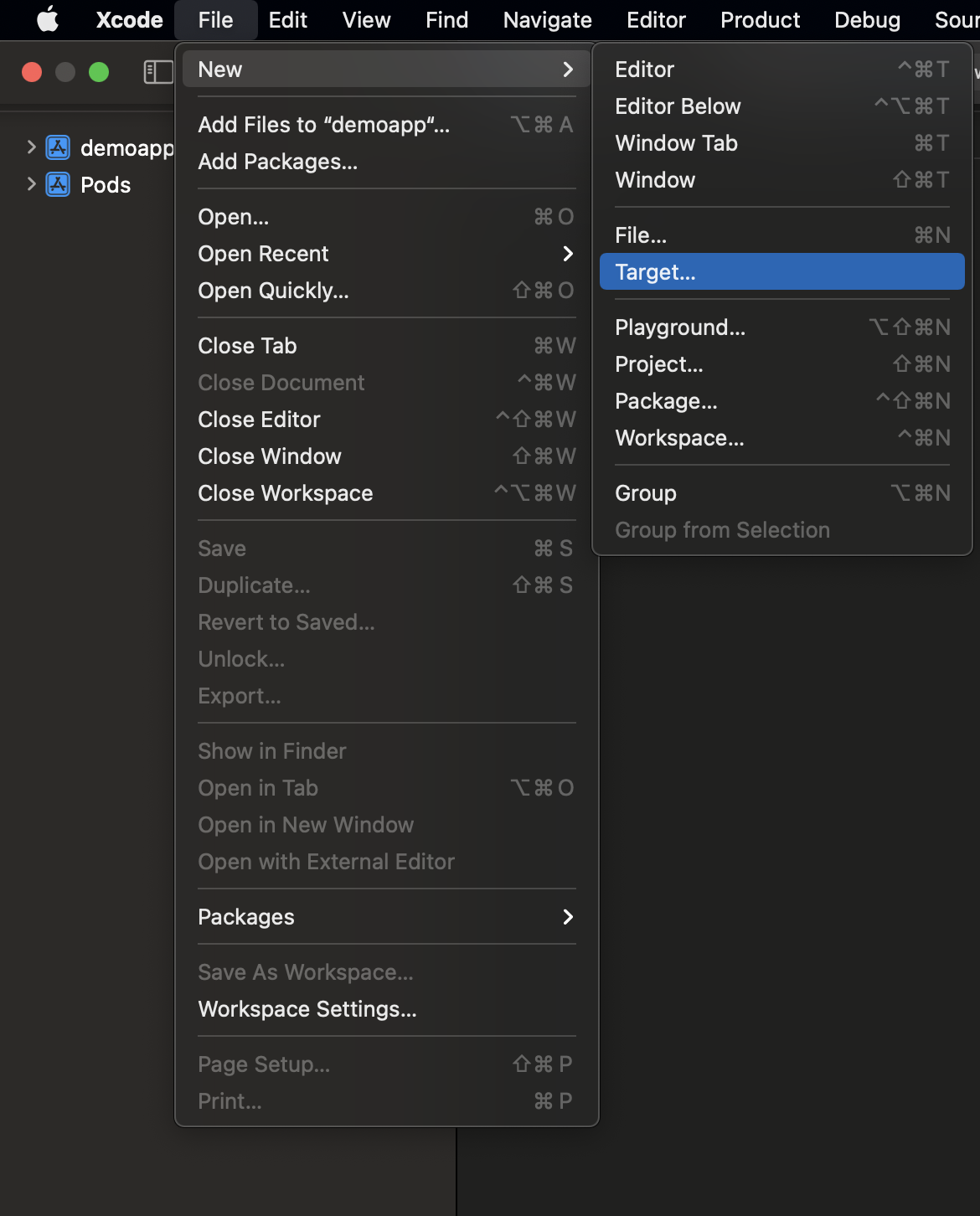
2. Выберите «Notification Service Extension»
Section titled “2. Выберите «Notification Service Extension»”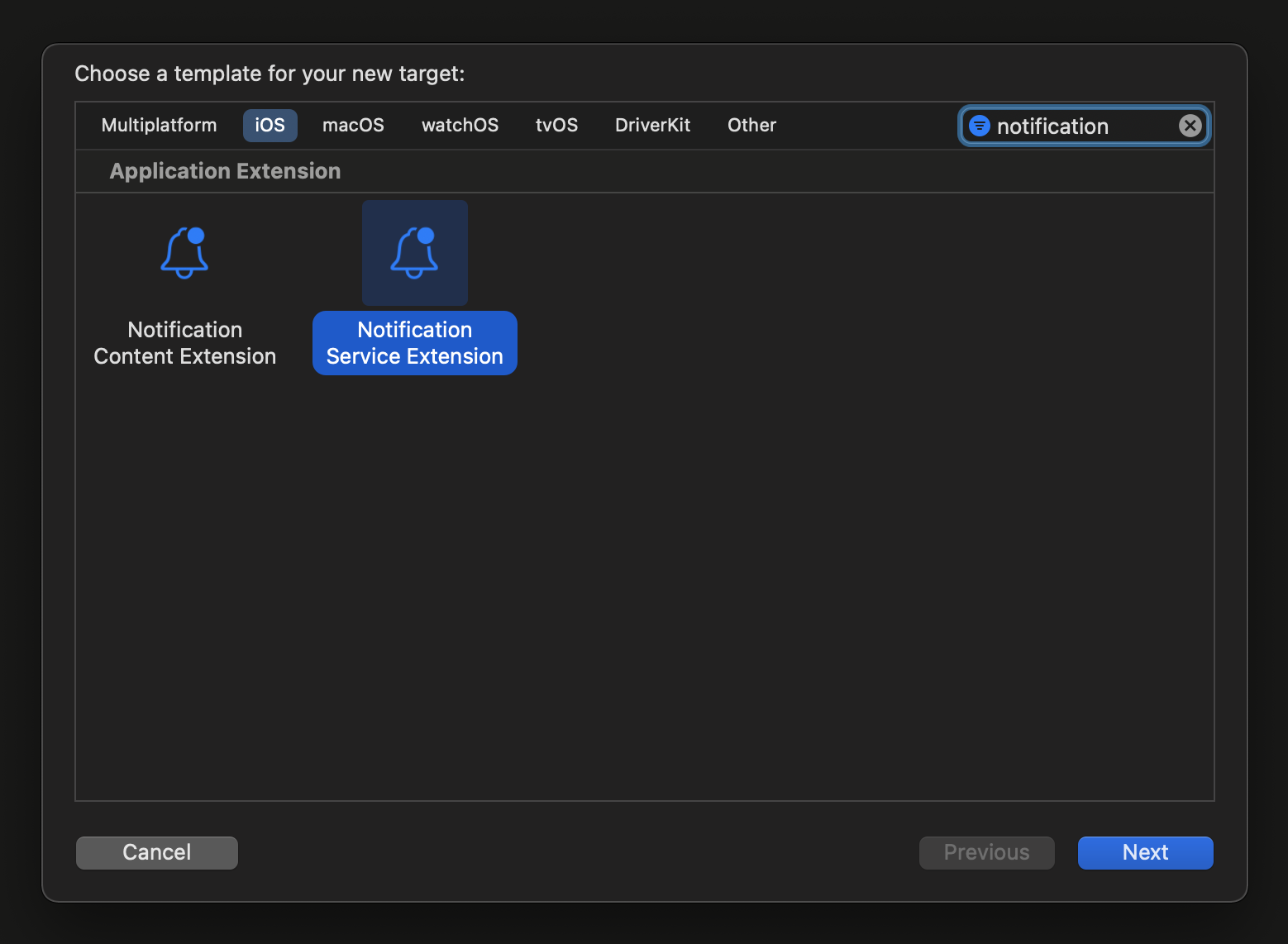
3. Обновите код Notification Service Extension следующим образом:
Section titled “3. Обновите код Notification Service Extension следующим образом:”#import "NotificationService.h"#import <Wavesend/PWNotificationExtensionManager.h>
@interface NotificationService ()
@property (nonatomic, strong) void (^contentHandler)(UNNotificationContent *contentToDeliver);@property (nonatomic, strong) UNMutableNotificationContent *bestAttemptContent;
@end
@implementation NotificationService
- (void)didReceiveNotificationRequest:(UNNotificationRequest *)request withContentHandler:(void (^)(UNNotificationContent * _Nonnull))contentHandler { self.contentHandler = contentHandler; self.bestAttemptContent = [request.content mutableCopy];
[[PWNotificationExtensionManager sharedManager] handleNotificationRequest:request contentHandler:contentHandler];}
- (void)serviceExtensionTimeWillExpire { // Called just before the extension will be terminated by the system. // Use this as an opportunity to deliver your "best attempt" at modified content, otherwise the original push payload will be used. self.contentHandler(self.bestAttemptContent);}
@end4. Привяжите зависимости к таргету
Section titled “4. Привяжите зависимости к таргету”React Native не связывает автоматически все необходимые зависимости с таргетом, который был создан вручную, поэтому вам следует обновить Build Phases таргета и предоставить необходимую информацию:
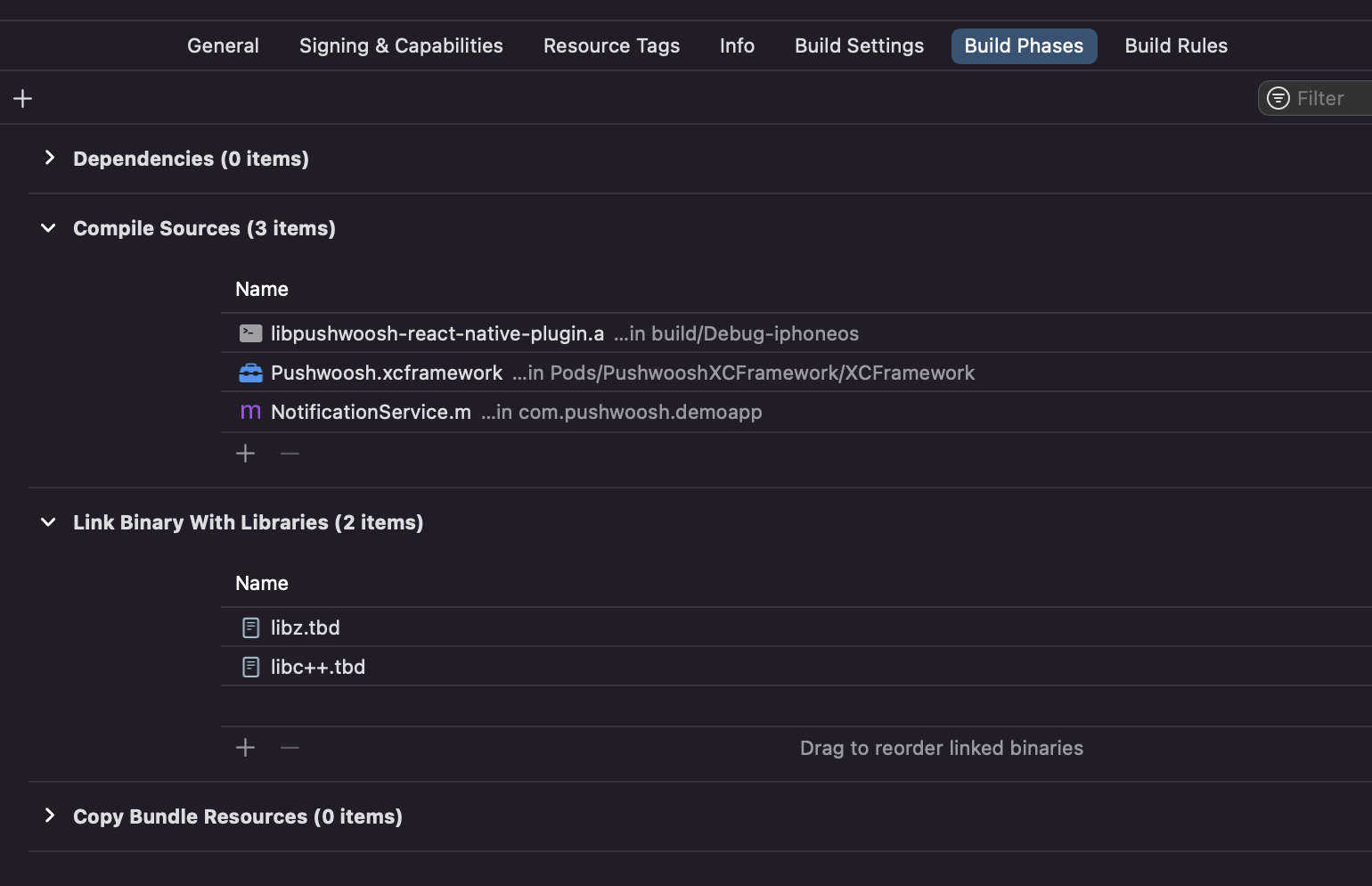
Просто нажмите на знак + под Compile Sources и Link Binary With Libraries и найдите необходимые библиотеки/фреймворки.
5. Добавьте capability App Groups к обоим таргетам в Xcode и установите одну и ту же группу и для приложения, и для расширения:
Section titled “5. Добавьте capability App Groups к обоим таргетам в Xcode и установите одну и ту же группу и для приложения, и для расширения:”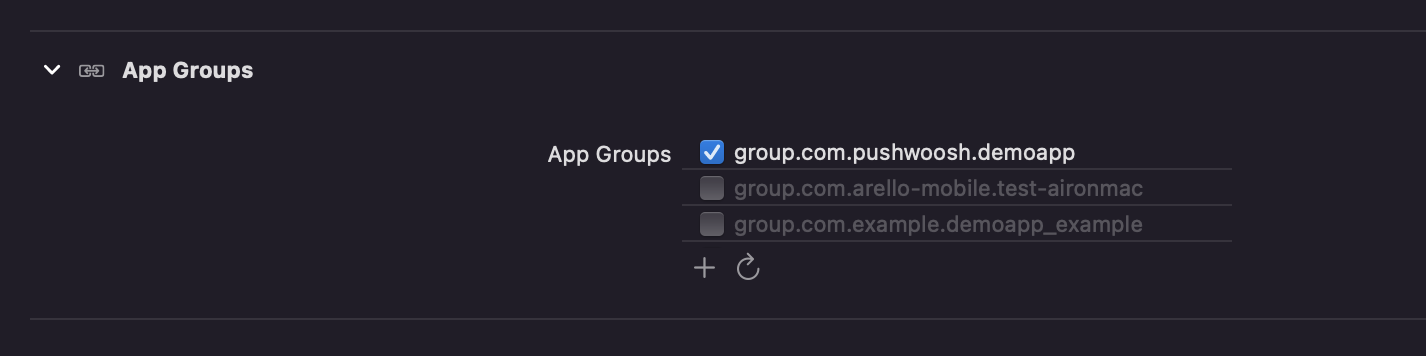
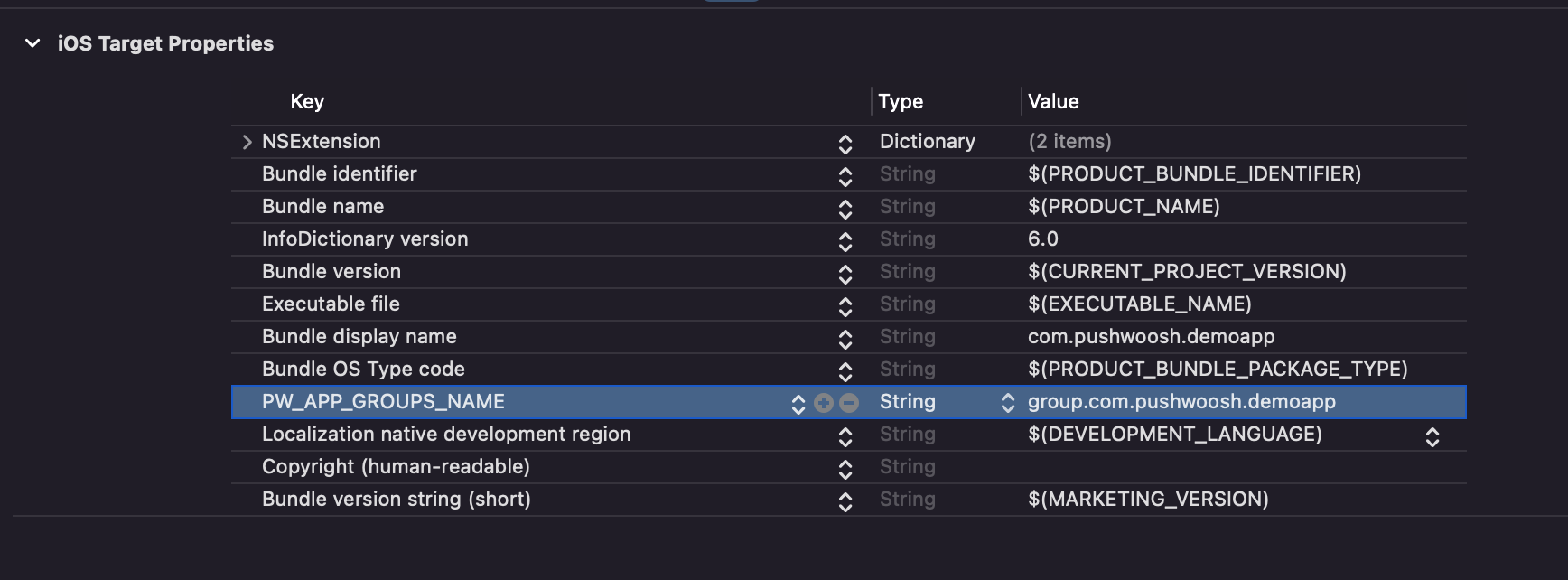
6. Добавьте ключ PW_APP_GROUPS_NAME в файлы info.plist обоих таргетов. В качестве значения укажите имя вашей группы приложений:
Section titled “6. Добавьте ключ PW_APP_GROUPS_NAME в файлы info.plist обоих таргетов. В качестве значения укажите имя вашей группы приложений:”