Модальные Rich Media для iOS
Начиная с версии Wavesend SDK 6.7.5, у вас есть возможность отправлять модальные Rich Media.
Мы представляем новые модальные Rich Media, которые можно настраивать. Новые модальные Rich Media не блокируют экран полностью и могут располагаться в разных его частях (вверху, внизу и по центру).
Дополнительную информацию о страницах Rich Media см. в нашем руководстве.
Конфигурация
Section titled “Конфигурация”//for silent push notificationsfunc application(_ application: UIApplication, didReceiveRemoteNotification userInfo: [AnyHashable : Any], fetchCompletionHandler completionHandler: @escaping (UIBackgroundFetchResult) -> Void) { Pushwoosh.sharedInstance().handlePushReceived(userInfo) completionHandler(.noData)}- Чтобы включить отображение модальных Rich Media, установите параметр
Pushwoosh_RICH_MEDIA_STYLEв вашем info.plist и присвойте ему значениеMODAL_RICH_MEDIA.
Info.plist:
<key>Pushwoosh_RICH_MEDIA_STYLE</key><string>MODAL_RICH_MEDIA</string>- По умолчанию модальные Rich Media будут отображаться по центру экрана с анимацией появления снизу вверх.
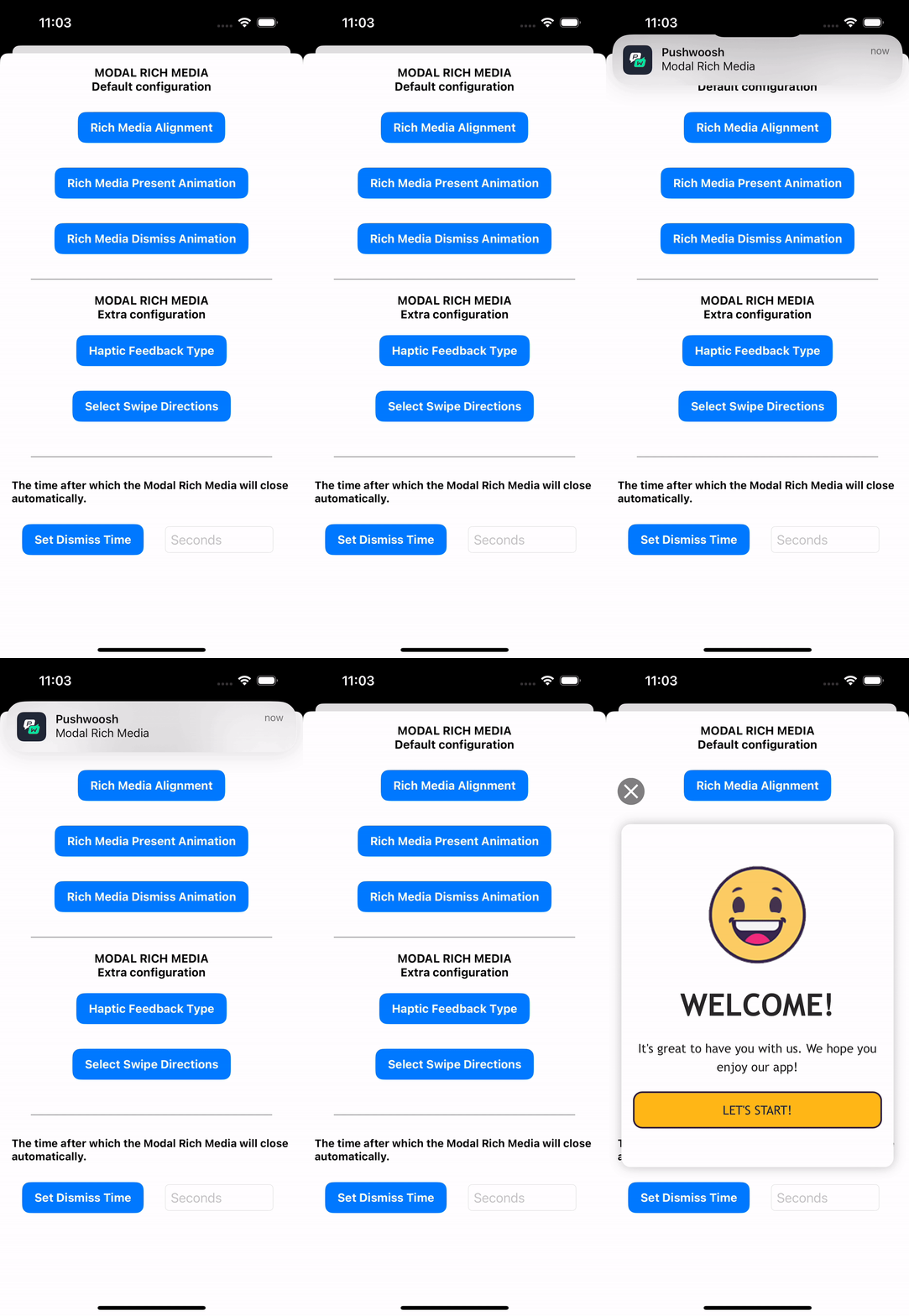
- Чтобы настроить отображение модальных Rich Media (положение на экране, анимация появления, анимация закрытия), необходимо использовать следующий метод:
// Modal Rich Media ConfigurationPWModalWindowConfiguration.shared().configureModalWindow(with: .PWModalWindowPositionCenter, present: .PWAnimationPresentFromBottom, dismiss: .PWAnimationDismissUp)Расположение модальных Rich Media
Section titled “Расположение модальных Rich Media”Модальные Rich Media можно расположить в трех местах: вверху, внизу или по центру.
/** Enum defining the possible positions for displaying a modal window.
 - `PWModalWindowPositionTop`: The modal window appears at the top of the screen, within the safe area. - `PWModalWindowPositionCenter`: The modal window appears at the center of the screen, within the safe area. - `PWModalWindowPositionBottom`: The modal window appears at the bottom of the screen, within the safe area. - `PWModalWindowPositionBottomSheet`: The modal window appears at the very bottom of the screen, ignoring the safe area. - `PWModalWindowPositionDefault`: The default position is the center of the screen, within the safe area. */typedef NS_ENUM(NSInteger, ModalWindowPosition) {    PWModalWindowPositionTop,       // Appears at the top of the screen (within safe area)    PWModalWindowPositionCenter,    // Appears at the center of the screen (within safe area)    PWModalWindowPositionBottom,    // Appears at the bottom of the screen (within safe area)    PWModalWindowPositionBottomSheet, // Appears at the very bottom of the screen (ignores safe area)    PWModalWindowPositionFullScreen, // Fullscreen, ignores safe area insets    PWModalWindowPositionDefault    // Default position (center of the screen, within safe area)};
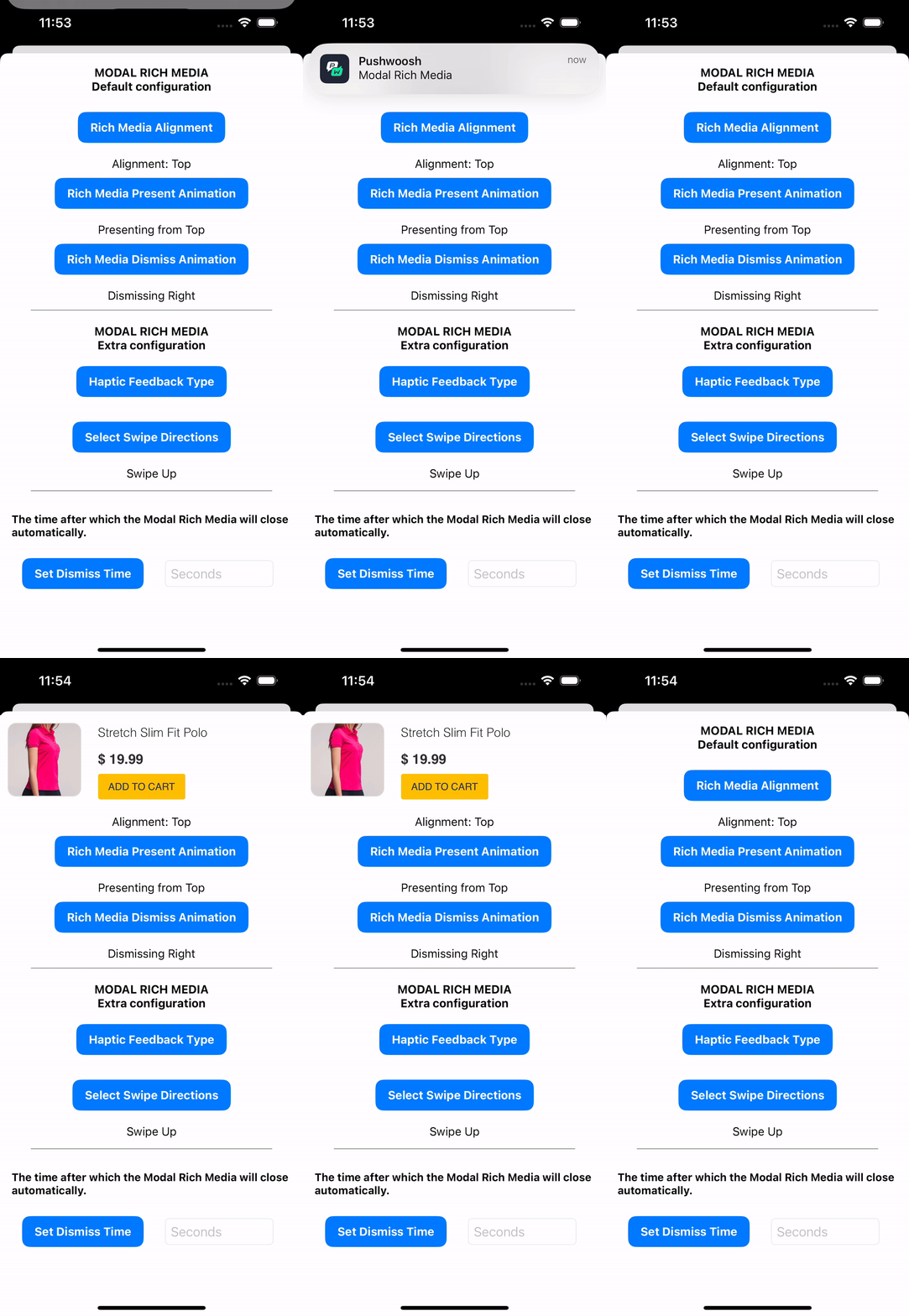
В примере ниже показано модальное Rich Media, отображаемое в верхней части экрана.
Анимации появления модальных Rich Media:
typedef NS_ENUM(NSInteger, PresentModalWindowAnimation) { PWAnimationPresentFromBottom, PWAnimationPresentFromTop, PWAnimationPresentFromRight, PWAnimationPresentFromLeft, PWAnimationPresentNone};Анимации закрытия модальных Rich Media:
typedef NS_ENUM(NSInteger, DismissModalWindowAnimation) {    PWAnimationDismissDown,    PWAnimationDismissUp,    PWAnimationDismissLeft,    PWAnimationDismissRight,    PWAnimationCurveEaseInOut,    PWAnimationDismissNone,
    /**     * Default dismiss animation is `PWAnimationCurveEaseInOut`     */    PWAnimationDismissDefault};
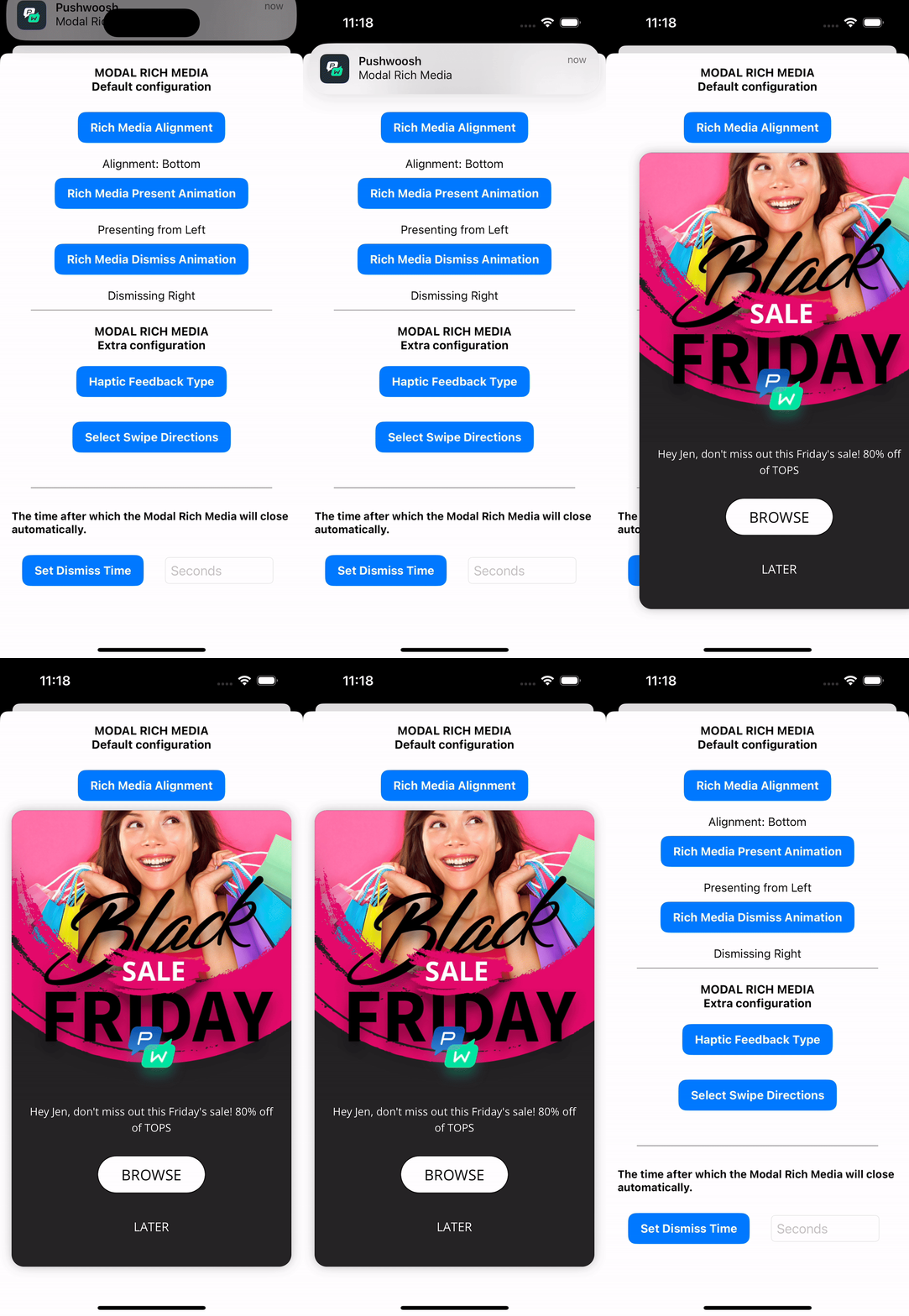
В примере ниже показано отображение модального Rich Media в нижней части экрана с анимацией появления слева направо и анимацией закрытия вправо:
Дополнительные параметры для модальных Rich Media
Section titled “Дополнительные параметры для модальных Rich Media”Дополнительные параметры для отображения модальных Rich Media включают такие опции, как добавление тактильной обратной связи (вибрации), включение жестов смахивания и установка таймера автоматического закрытия через указанный промежуток времени.
// Haptic Feedback TypePWModalWindowConfiguration.shared().setPresent(.PWHapticFeedbackLight)
/**enum HapticFeedbackType
typedef NS_ENUM(NSInteger, HapticFeedbackType) {    PWHapticFeedbackLight,         // Light vibration feedback    PWHapticFeedbackMedium,        // Medium vibration feedback    PWHapticFeedbackHard,          // Strong vibration feedback
    /**     * Vibration is off by default.     */    PWHapticFeedbackNone};*/
// Swipe directionslet directions: [NSNumber] = [    NSNumber(value: DismissSwipeDirection.PWSwipeDismissDown.rawValue),    NSNumber(value: DismissSwipeDirection.PWSwipeDismissUp.rawValue)]PWModalWindowConfiguration.shared().setDismissSwipeDirections(directions)
/**typedef NS_ENUM(NSInteger, DismissSwipeDirection) {    PWSwipeDismissDown,    PWSwipeDismissUp,    PWSwipeDismissLeft,    PWSwipeDismissRight,    PWSwipeDismissNone};*/
// Set Rich Media corner radiusPWModalWindowConfiguration.shared().setCornerType([.PWCornerTypeTopLeft, .PWCornerTypeBottomRight], withRadius: 30.0)
// Close Modal Rich Media after N secondsPWModalWindowConfiguration.shared().closeModalWindow(after: 3)
PWRichMediaPresentingDelegate
Section titled “PWRichMediaPresentingDelegate”Для управления очередью модальных Rich Media необходимо реализовать методы делегата PWRichMediaPresentingDelegate. При использовании этой функции модальные Rich Media представляются последовательно, и следующее не будет отображено до тех пор, пока пользователь не закроет текущее. Как только пользователь закроет представленное Rich Media, будет показано следующее, которое было частью другого push-уведомления.
Чтобы реализовать эту функциональность, используйте приведенный ниже код:
import UIKitimport PushwooshFramework
class ViewController: UIViewController {
    override func viewDidLoad() {        super.viewDidLoad()
        PWRichMediaManager.shared().delegate = ChainedRichMediaPresentingDelegate.init(queue: [], inApp: false)    }}
class ChainedRichMediaPresentingDelegate: NSObject, PWRichMediaPresentingDelegate {
    var queue: [PWRichMedia]    var inAppIsPresenting: Bool
    init(queue: [PWRichMedia], inApp: Bool) {        self.queue = queue        self.inAppIsPresenting = inApp        super.init() // can actually be omitted in this example because will happen automatically.    }
    convenience override init() {        self.init(queue: [], inApp: false)    }
    func richMediaManager(_ richMediaManager: PWRichMediaManager!, shouldPresent richMedia: PWRichMedia!) -> Bool {        if !queue.contains(where: { $0 === richMedia }) {            queue.append(richMedia)        }        return !inAppIsPresenting    }
    func richMediaManager(_ richMediaManager: PWRichMediaManager!, didPresent richMedia: PWRichMedia!) {        inAppIsPresenting = true    }
    func richMediaManager(_ richMediaManager: PWRichMediaManager!, didClose richMedia: PWRichMedia!) {        inAppIsPresenting = false
        if let idx = queue.firstIndex(where: { $0 === richMedia }) {            queue.remove(at: idx)        }
        if ((queue.count) != 0) {            PWModalWindowConfiguration.shared().presentModalWindow(queue.first!)        }    }
    func richMediaManager(_ richMediaManager: PWRichMediaManager!, presentingDidFailFor richMedia: PWRichMedia!, withError error: Error!) {        self.richMediaManager(richMediaManager, didClose: richMedia)    }}